Guest list software, from invitation to the door
With Backemp you invite guests by email, let them confirm on an RSVP page in your own style and check them in at the door on your phone or tablet. For clubs, theatres, festivals and event venues, for €29 a month, excluding Backemp Base (€99 a month).Email invitations in a custom style per eventCheck-in at the door on your phone or tablet€29 a month (excl. Base €99), 14 days free
14 days free, no payment details. Then cancel any month. Sign-up, app and door screen in English. You set up the invitation email and RSVP page yourself, in English too. Nederlands
Why does a guest list in a spreadsheet break down?
A spreadsheet works until the night itself. Then there are three versions going round, the door does not know who cancelled, and someone counts heads on a notepad.
The work starts weeks earlier: sending invitations, tracking who replied, chasing those who did not and working out how many people each guest brings.
How does guest list management work in Backemp?
Per event you create one or more guest lists, for example one for invitees, one for press and one for crew. Add guests by hand or all at once from a CSV file.
On a list by invitation every guest gets an email with a personal code. With that code they confirm on your RSVP page how many people they are bringing, or decline. Anyone who has not replied gets a reminder with one click.
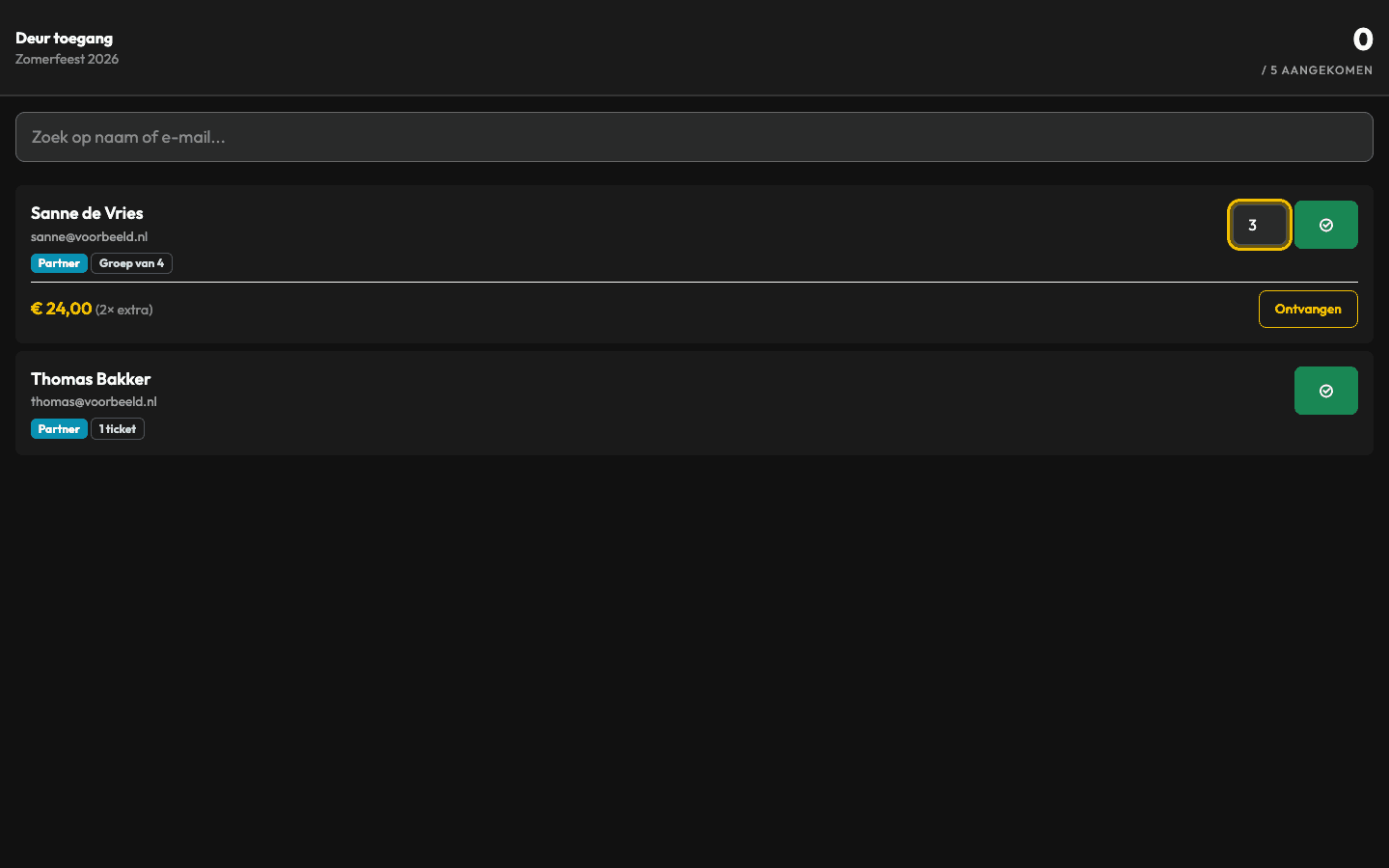
On the night, your door staff open the door screen. It only shows the guests you expect. They search by name or email address and check guests in, including part of a group. The counter at the top shows how many people are inside.
What kinds of guest lists are there: traditional or by invitation?
Per event you create as many lists as you like, of both kinds side by side. At the door you search all lists of your event at once.
Traditional guest list
For guests you do not need to invite: the artist's guests, crew, press or regulars. Add them by hand or with a CSV file and they are ready for the door straight away.
Guest list by invitation
For invitees who need to confirm. Every guest gets an email with a personal six-character code, confirms how many people are coming or declines, and gets a reminder if they have not replied. Only invitees can sign up.
Invitations and RSVP
What is included in Backemp guest lists?
A personal code per guest
Every invitee signs in with their email address and a six-character code, so nobody else can add themselves to your list.
Emails in your own words
Write the subject and text yourself, with fields for name, number of tickets, code, event name, date and venue. Your own sender name and address, and a preview before you send.
Invitations and RSVPA custom style per guest list
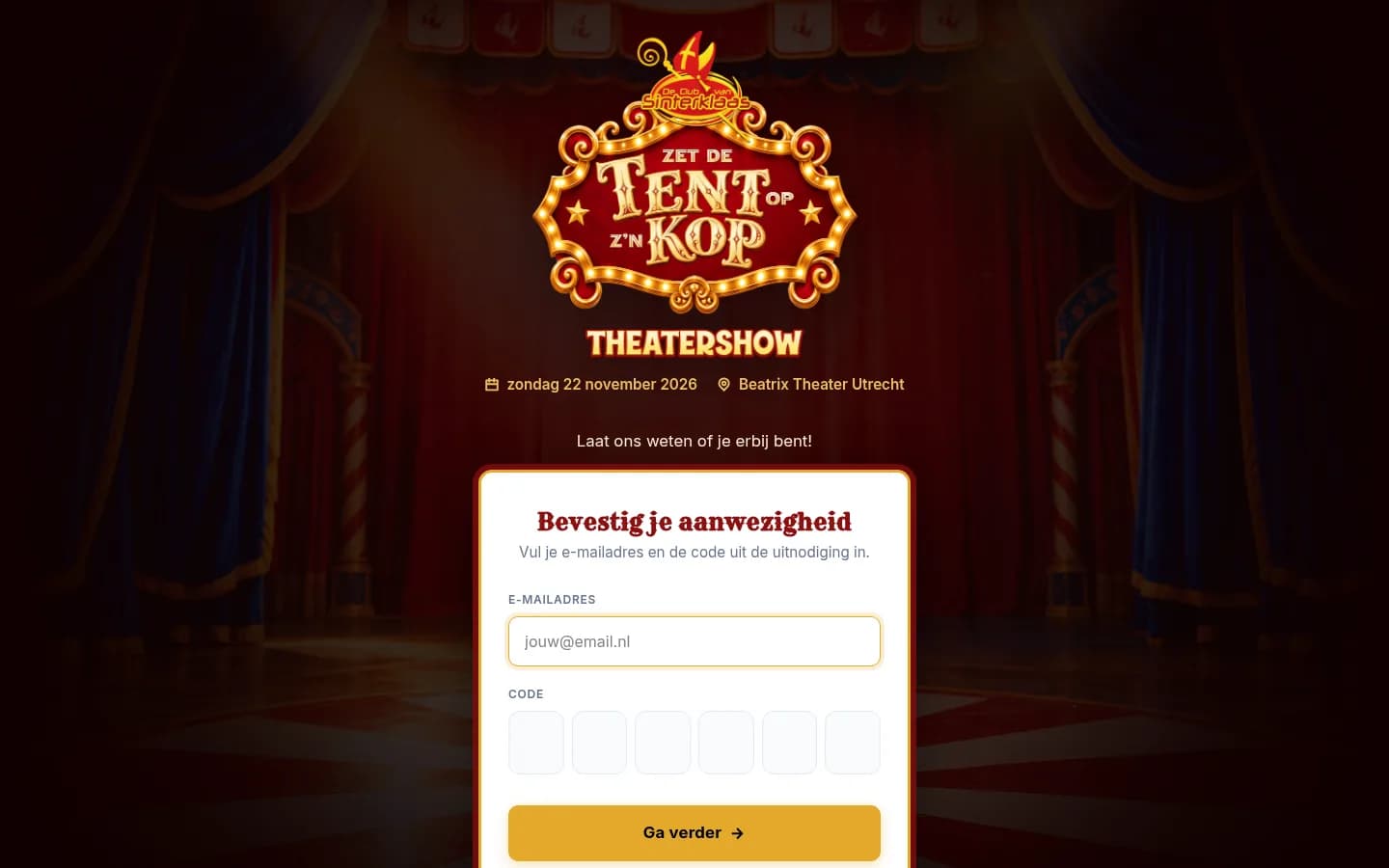
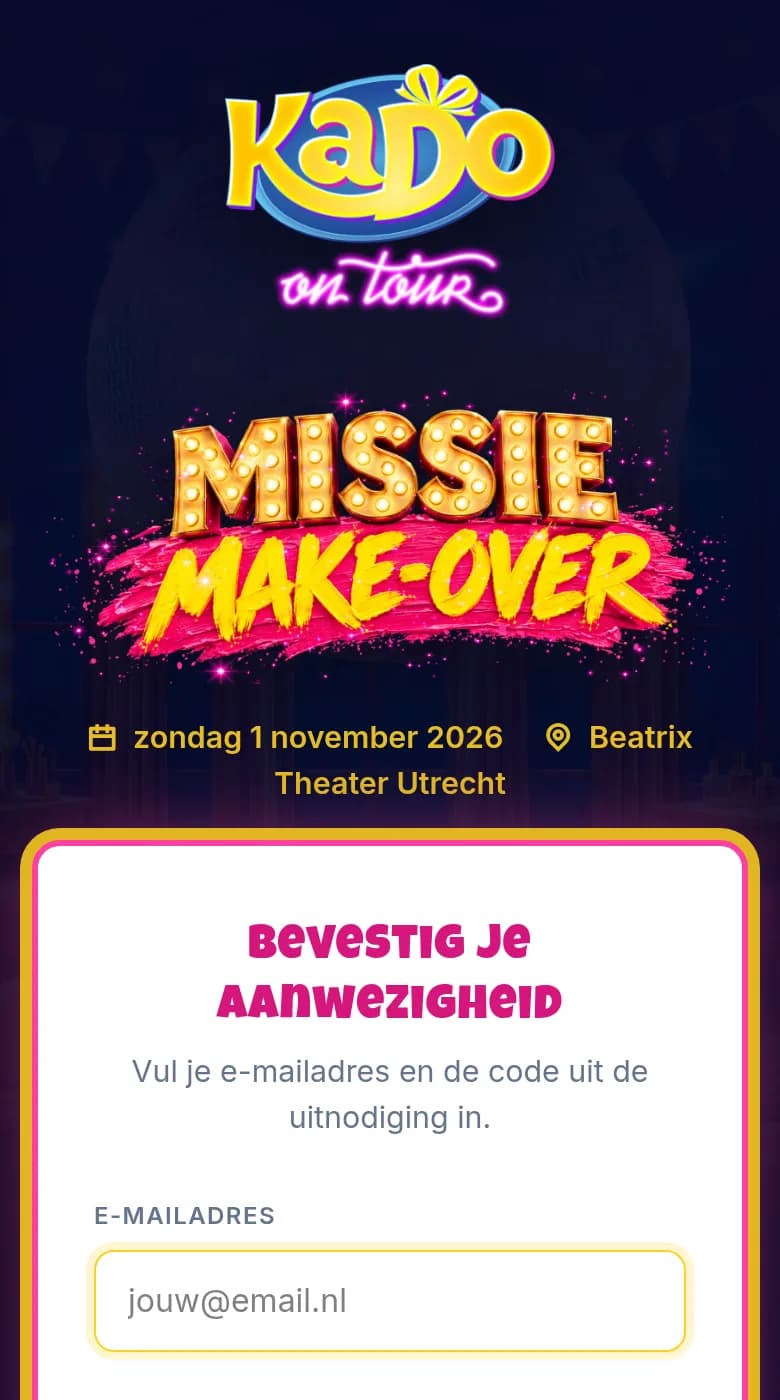
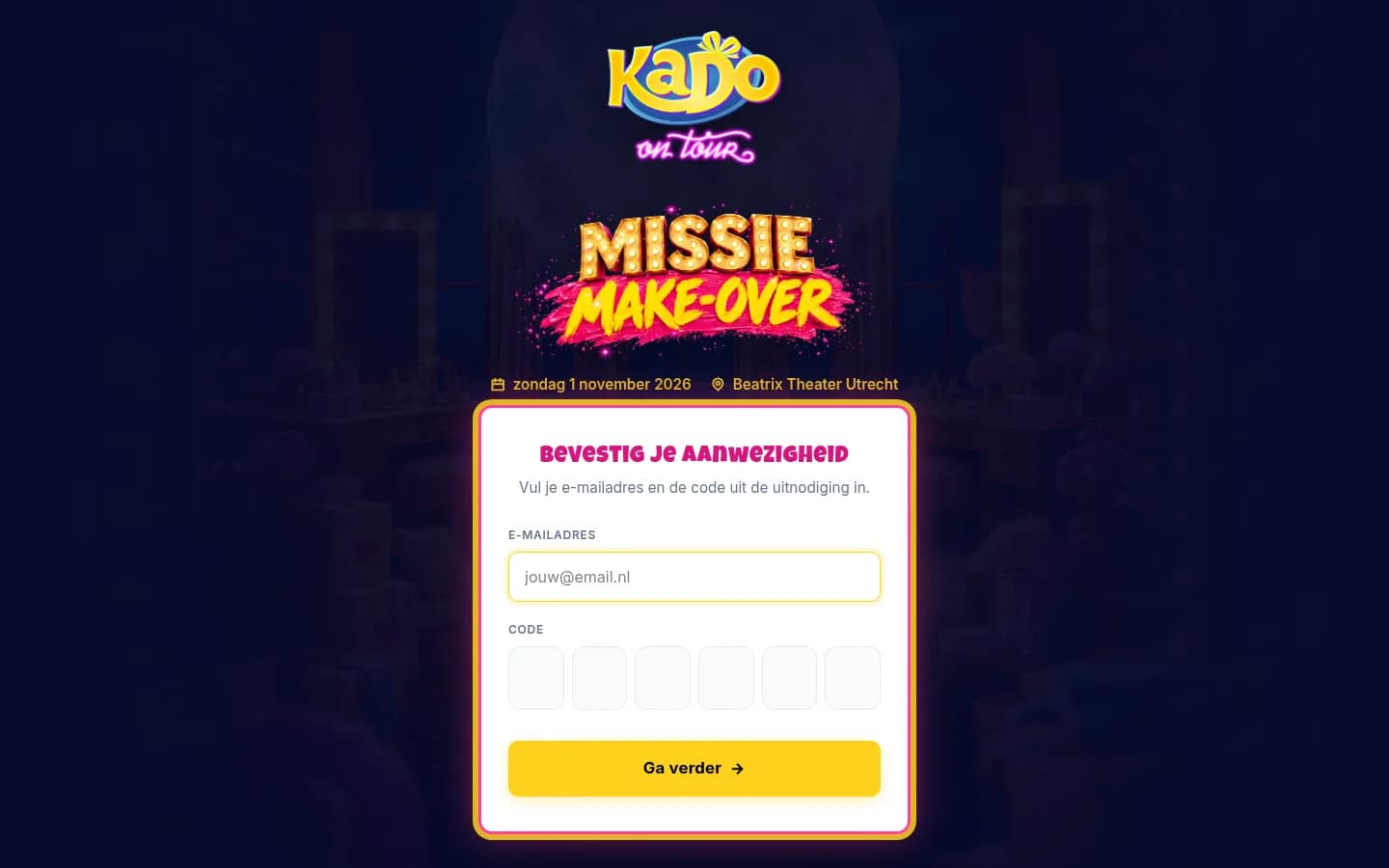
Every list gets its own invitation email and sign-up page: logo, header image, colours and headings. So you personalise the invitation for each event.
Reminders with one button
Only to guests who have not replied yet, and never more than once a day per guest.
A separate email per status
Send directions or the programme to confirmed guests only, with a test email to yourself first.
Plus-ones and dietary needs
Ask per list for the names of anyone coming along and any dietary requirements.
Tickets per guest and capacity
Give each guest their own number of tickets and set a maximum for the whole list. Never more guests than you have room for.
Extra tickets
Guests buy extra tickets at a fixed price, with a maximum per guest. You collect payment at the door or in advance.
Tags and notes
Mark guests as VIP, press or sponsor and add a note the door team can see.
Import and export
Add up to 10,000 guests per CSV file in one go. Export per list or per event, or print a PDF door list.
Check-in at the door
A door screen per list or for the whole event: search, check in, also part of a group, with a count of who is in.
Door check-inRoles for your team
Door staff check guests in, a viewer can follow along, a designer sets the style, an admin runs everything. Door staff are free.
Programme on the sign-up page
Show the programme for the evening on the page where guests confirm, with one switch.
Your own web address
Your sign-up page on an address such as events.yourcompany.com, with its own secure certificate. On request.
Can every invitation have its own style, per event?
Yes. Every guest list gets a completely custom style, for the invitation email and the sign-up page together: your logo, a header image, your colours and your heading style. So every event gets its own invitation, even when you run several at once. Want to go further? Add your own CSS. Save a design and reuse it for a next event.
The page can also run on your own web address, such as events.yourcompany.com, with its own secure certificate. You request your own web address from us and we check the DNS settings with you. It costs €29 a month.
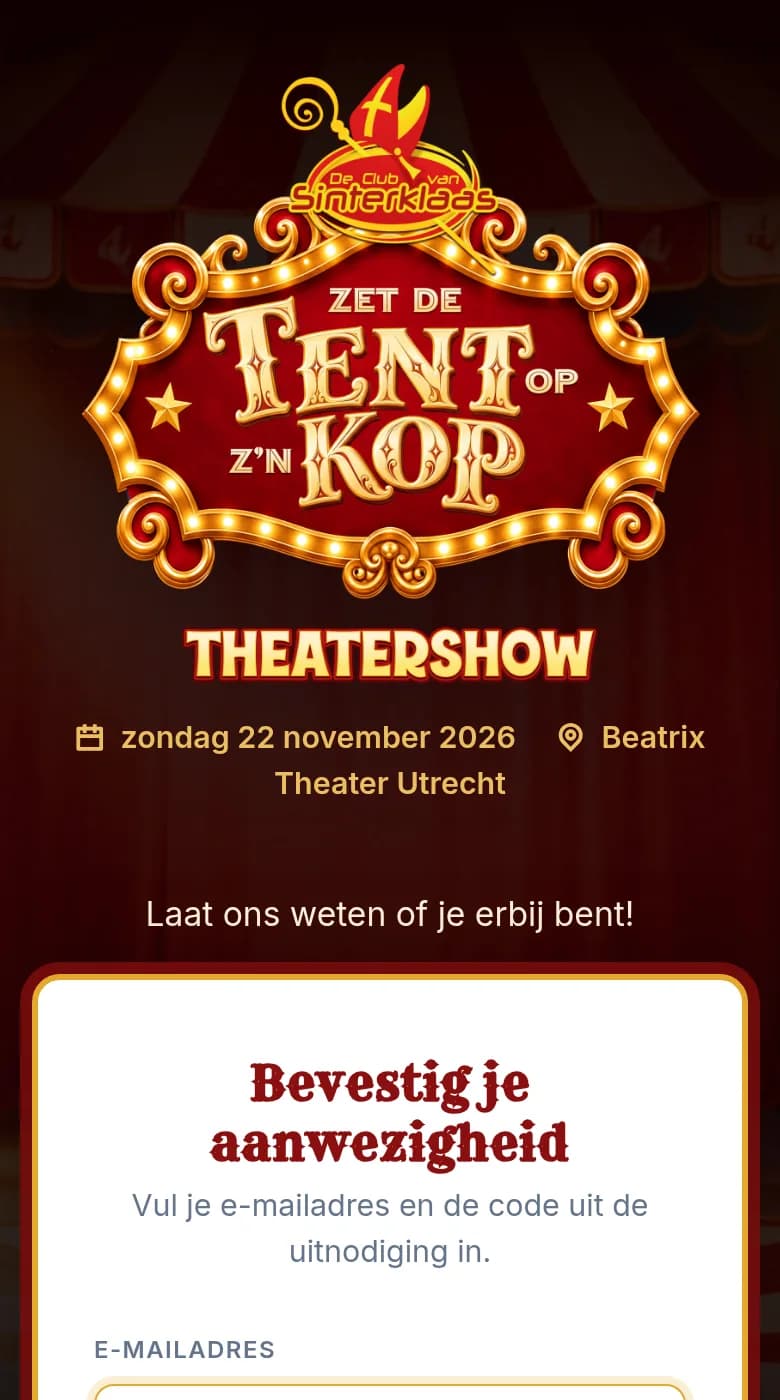
Would you like us to design your sign-up page?
No time or no designer in-house? We design your sign-up page and invitation email in your brand style. You send your logo, images and colours; we set the design up in Backemp so you can reuse it for every next event.
The price is on request, depending on what you need. Ask us, even while you are still on your free trial.
Is everything in English?
Yes. The sign-up, the Backemp app and the door screen are available in English. You set up the invitation email and the RSVP page your guests see yourself, texts included, so you can run them fully in English.
Send yourself a test email first to see exactly what your guests will get.
Who is it for?
Clubs
Guest lists per night for artists, promoters and regulars.
Theatres and music venues
Invitees per show, premieres and previews.
Festivals
Artist guests, press and partners, each on their own list.
Event venues
Client and corporate events, styled for your client.
How much does Backemp guest list software cost?
€29/month
excluding Backemp Base (€99 a month)
3 admins included, door staff and crew unlimited.
- Unlimited guest lists and guests
- 3 admins included
- Door staff and crew unlimited
- Cancel any month
The Guest lists module costs €29 a month, plus Backemp Base at €99 a month: €128 together, excluding VAT. Base covers your events, your programme and your team. Create as many lists as you like, with as many guests as you like.
3 admins are included. Door staff and crew get a free account, as many as you need. An extra admin costs €19 a month.
Try everything free for 14 days, without payment details. If you like it, add your payment details. If not, the trial simply ends. After that you can cancel any month.
Frequently asked questions
Questions before you start.
How much does guest list software from Backemp cost?
›The Guest lists module costs €29 a month, plus Backemp Base at €99 a month: €128 together, excluding VAT. That includes unlimited lists and guests, 3 admins and unlimited door staff. Try it free for 14 days without payment details, then cancel any month.
Can you create a different invitation for each event?
›How do I invite guests?
›How does check-in at the door work?
›Is everything in English?
›Can my team work along?
›What can it not do (yet)?
›Am I tied to a contract?
›Set up your first guest list today
Create an event, style your RSVP page and send the invitations. 14 days free, no payment details.